
Description
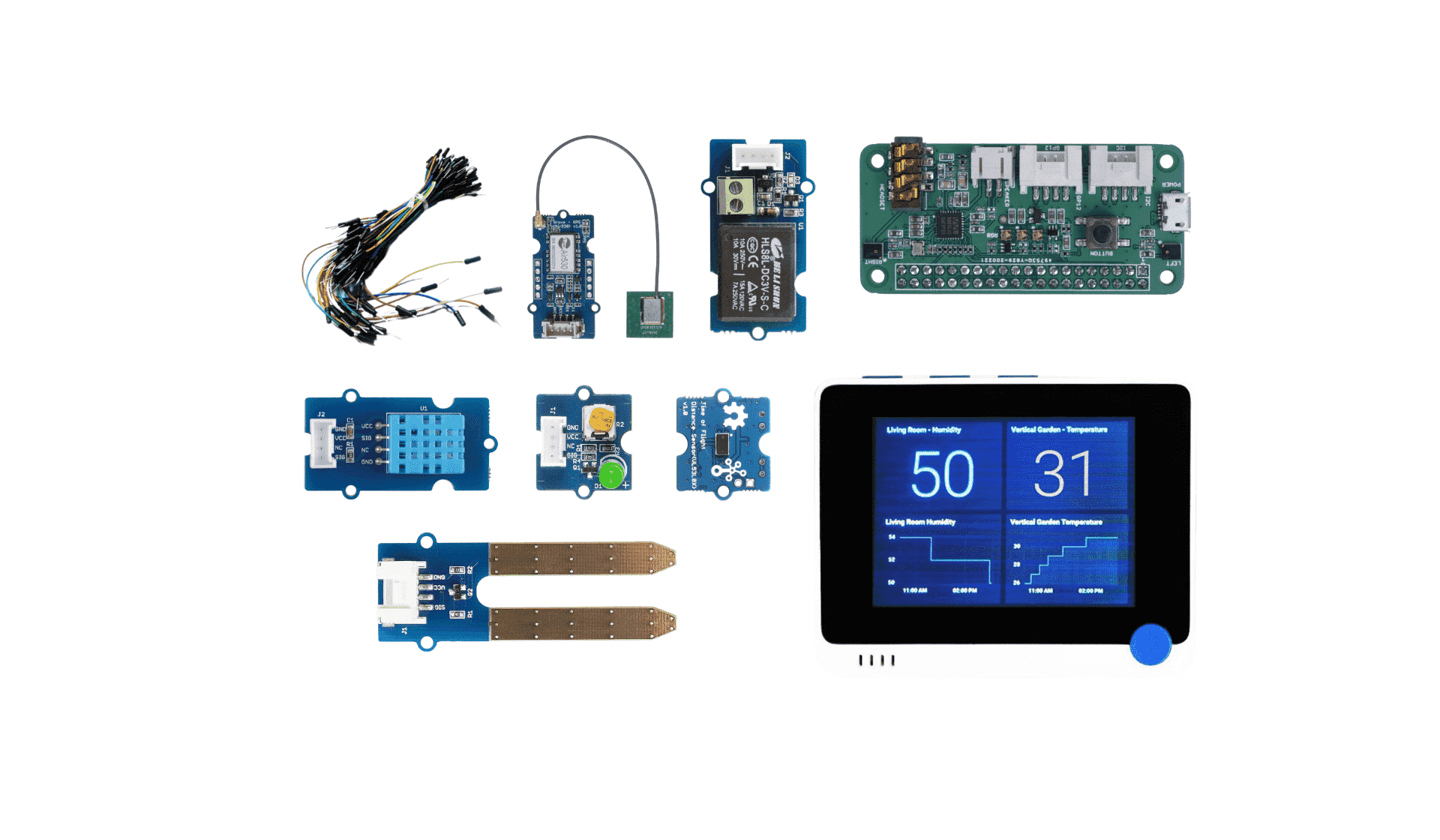
This Wio Terminal Starter Kit is made for IoT beginners by Seeed and Microsoft. The hardware includes a Wio Terminal provided by Seeed, a variety of optional Grove, other mods, etc. Wio Terminal comes with multifunctional Grove ports, supports Bluetooth and WiFi, an excellent hardware platform for IoT projects. Use this Wio Terminal Starter Kit to learn the basics of the Internet of Things with this free 12-week, 24-lesson curriculum from Microsoft Cloud Advocates.
Key Features
- Free curriculum support: 12-week, 24-lesson free course on IoT basics offered by Azure Cloud Advocates at Microsoft
- Great Hardware Platform for IoT Projects: Wio Terminal, a highly integrated device with 2.4″ LCD screen, MCU, IMU, WIFI, BT, and more useful add-ons installed in a compact enclosure that allows you to easily set up your IoT projects
- Ultra-low threshold entry experience: easy-to-use hardware deployment, plug-and-play Grove, and a beginner-friendly programming platform
- Scientific and complete curriculum: project-based teaching method, a proven way for new skills to ‘stick’
- Hands-on lessons spanning real projects: help develop the ability to think about IoT solutions and learn in the face of real-world problems
- Immediately visible learning effects: pre- and post-class quizzes, completed written instructions, etc., to ensure effective basic knowledge learning and projects output
 Syllabus
Objectives and Expected Outcomes
There are 24 project-based lessons and that includes frequent quizzes. Students not only can learn the basic principles of IoT to build their first ‘Hello World’ IoT project, but they will also go through all projects covering the journey of food from farm to table, including farming, logistics, manufacturing, retail, and consumer – all popular industry areas for IoT devices.
By the end of this series, students will build the following projects with Wio Terminal use in real-world:
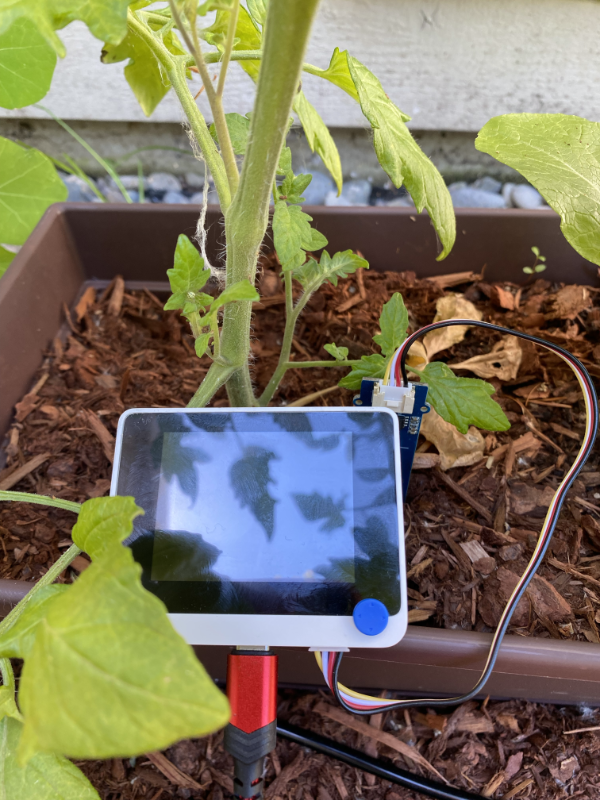
- A plant monitoring and watering system
- A vehicle tracker
- A smart factory setup to track and check food
- A voice-controlled cooking timer

Students will also learn the basics of the Internet of Things including:
- How to write device code
- How to connect to the cloud
- How to analyze telemetry and run AI on edge

This kit is built with Wio Terminal. You can also choose the kit for Raspberry Pi 4. Each platform has its own upsides and downsides, and these are all covered in one of the initial lessons. Review that lesson to decide which hardware platform you are most interested in learning.

If you want to make your IoT project smarter, but don’t know how to start adding “AI” to your next IoT project. Don’t worry and take it easy, a new “SenseCAP K1100 – Sensor Prototyping Kit with LoRa® and AI” will make it easy to get started. This kit allows users of all backgrounds and levels to create DIY sensors for data collection and solve real-world challenges.
About this curriculum
Learn the basics of the Internet of Things with this free 12-week, 24-lesson curriculum from the Microsoft Cloud Advocates. Build prototypes of real-world IoT projects as you learn all about IoT whilst following the journey of food from farm to table.
Azure Cloud Advocates at Microsoft are pleased to offer a 12-week, 24-lesson curriculum all about IoT basics. Each lesson includes pre- and post-lesson quizzes, written instructions to complete the lesson, a solution, an assignment, and more. Our project-based pedagogy allows you to learn while building, a proven way for new skills to ‘stick’.
You may also need the following parts:
- ArduCam Mini 2MP Plus – OV2640
- Headphones or other speakers with a 3.5mm jack, or a JST speaker such as:
- Optional – microSD Card 16GB or less for testing image capture, along with a connector to use the SD card with your computer if you don’t have one built-in. NOTE – the Wio Terminal only supports SD cards up to 16GB, it does not support higher capacities.
24 hand-on lessons across 6 real-world projects
Please visit GitHub Repository and have the full view of the course.
Every lesson contributes to one of 6 real-world projects. Each project is based on real-world hardware available to students and hobbyists. Each project looks into the specific project domain, providing relevant background knowledge in addition to getting hands-on developing the solution.
This allows students to think about their IoT solutions and learnings in the context of the kind of real-world problem that they might be asked to solve as an IoT developer. Students learn the ‘why’ of the solutions they are building and get an appreciation of the end-user.

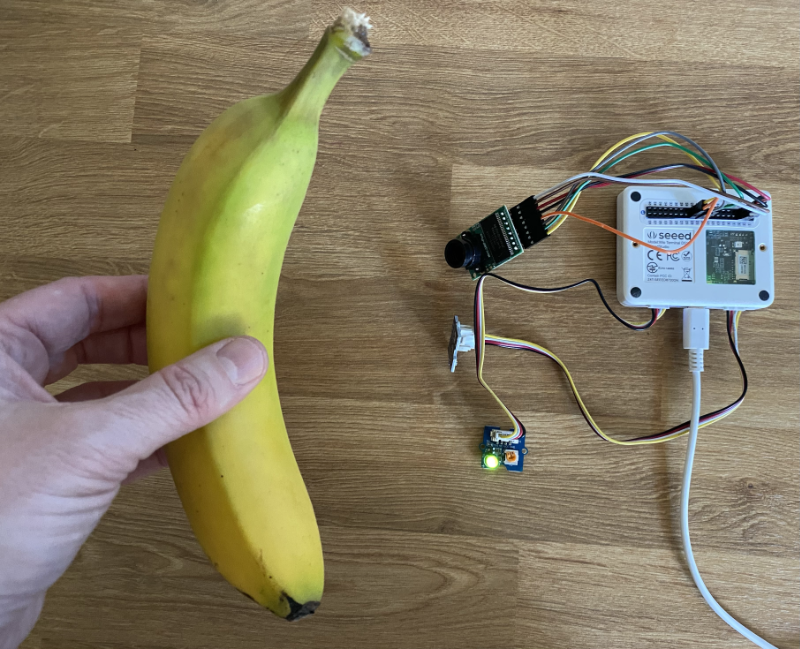
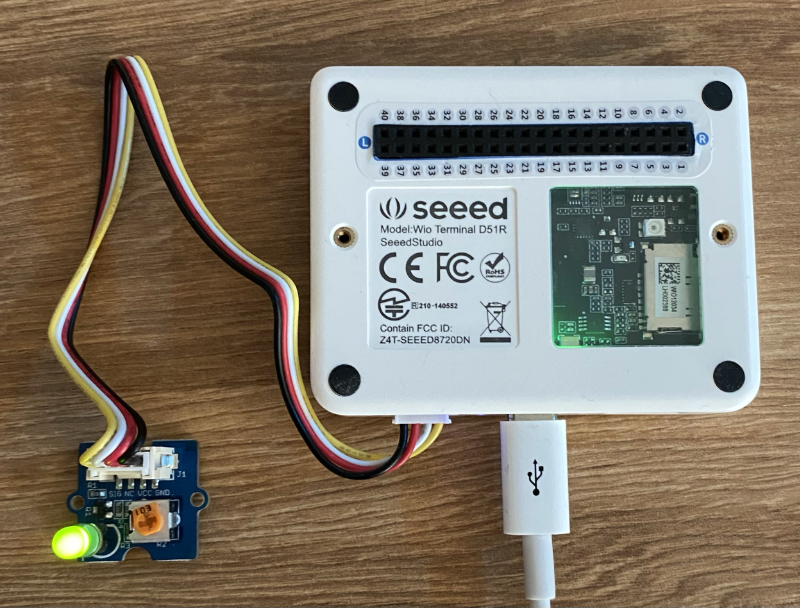
(Using a light sensor to control an LED)

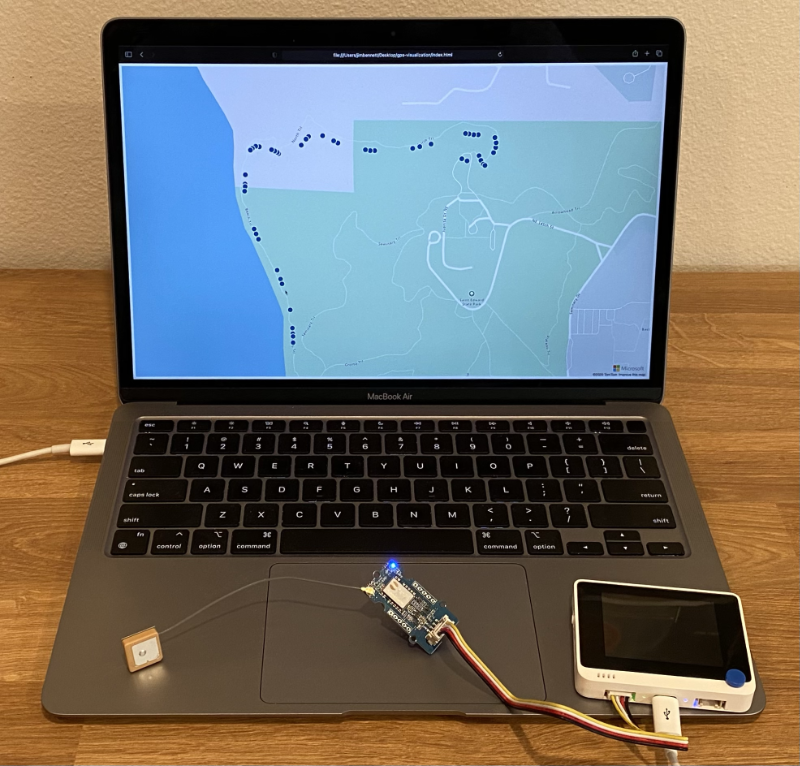
(Location tracking with Wio Terminal)
Start Learning Today
There are 24 Lessons in this curriculum based on this IoT beginner kit:
|
|
Project Name |
Concepts Taught |
Learning Objectives |
Linked Lesson |
|
01 |
Introduction to IoT |
Learn the basic principles of IoT and the basic building blocks of IoT solutions such as sensors and cloud services whilst you are setting up your first IoT device |
||
|
02 |
A deeper dive into IoT |
Learn more about the components of an IoT system, as well as microcontrollers and single-board computers |
||
|
03 |
Interact with the physical world with sensors and actuators |
Learn about sensors to gather data from the physical world, and actuators to send feedback, whilst you build a nightlight |
||
|
04 |
Connect your device to the Internet |
Learn about how to connect an IoT device to the Internet to send and receive messages by connecting your nightlight to an MQTT broker |
||
|
05 |
Predict plant growth |
Learn how to predict plant growth using temperature data captured by an IoT device |
||
|
06 |
Detect soil moisture |
Learn how to detect soil moisture and calibrate a soil moisture sensor |
||
|
07 |
Automated plant watering |
Learn how to automate and time watering using a relay and MQTT |
||
|
08 |
Migrate your plant to the cloud |
Learn about the cloud and cloud-hosted IoT services and how to connect your plant to one of these instead of a public MQTT broker |
||
|
09 |
Migrate your application logic to the cloud |
Learn about how you can write application logic in the cloud that responds to IoT messages |
||
|
10 |
Keep your plant secure |
Learn about security with IoT and how to keep your plant secure with keys and certificates |
||
|
11 |
Location tracking |
Learn about GPS location tracking for IoT devices |
||
|
12 |
Store location data |
Learn how to store IoT data to be visualized or analysed later |
||
|
13 |
Visualize location data |
Learn about visualizing location data on a map, and how maps represent the real 3d world in 2 dimensions |
||
|
14 |
Geofences |
Learn about geofences, and how they can be used to alert when vehicles in the supply chain are close to their destination |
||
|
15 |
Train a fruit quality detector |
Learn about training an image classifier in the cloud to detect fruit quality |
||
|
16 |
Check fruit quality from an IoT device |
Learn about using your fruit quality detector from an IoT device |
||
|
17 |
Run your fruit detector on the edge |
Learn about running your fruit detector on an IoT device on the edge |
||
|
18 |
Trigger fruit quality detection from a sensor |
Learn about triggering fruit quality detection from a sensor |
||
|
19 |
Train a stock detector |
Learn how to use object detection to train a stock detector to count stock in a shop |
||
|
20 |
Check stock from an IoT device |
Learn how to check stock from an IoT device using an object detection model |
||
|
21 |
Recognize speech with an IoT device |
Learn how to recognize speech from an IoT device to build a smart timer |
||
|
22 |
Understand language |
Learn how to understand sentences spoken to an IoT device |
||
|
23 |
Set a timer and provide spoken feedback |
Learn how to set a timer on an IoT device and give spoken feedback on when the timer is set and when it finishes |
||
|
24 |
Support multiple languages |
Learn how to support multiple languages, both being spoken to and the responses from your smart timer |
Each lesson includes:
- optional sketchnote
- optional supplemental video
- pre-lesson warmup quiz
- written lesson
- for project-based lessons, step-by-step guides on how to build the project
- knowledge checks
- a challenge
- supplemental reading
- assignment
- post-lesson quiz
Teaching and Learning Tips
For Teachers, we have included some suggestions on how to use this curriculum. If you would like to create your own lessons, we have also included a lesson template.
For Students, to use this curriculum on their own, fork the entire repo and complete the exercises on your own, starting with a pre-lecture quiz, then reading the lecture and completing the rest of the activities. Please create the projects by comprehending the lessons rather than copying the solution code; however, that code is available in the /solutions folders in each project-oriented lesson. We also suggest you form a study group with friends and go through the content together.
For further study, we recommend Microsoft Learn.
Bundle İçeriği
Wio Terminal (Must) (zorunlu)
- Wio Terminal: ATSAMD51 Core with Realtek RTL8720DN BLE 5.0 & Wi-Fi 2.4G/5G Dev Board with Free Course [SKU: 102991299] ✓
Modules(Optional)
- reSpeaker 2-Mics Pi HAT V2.0 for Raspberry Pi – TLV320AIC3104 Audio Codec, 2 Analog Microphones, 3 APA102 RGB LEDs, 3.5mm Audio Jack, User Button, attached with NLU software algorithms, VAD,DOA, KWS [SKU: 107100001] ✓
- Grove – Temperature & Humidity Sensor (DHT11) [SKU: 101020011] ✓
- Grove – Relay High current 5V/10A small 1-way mechanical relay switch Arduino [SKU: 103020005] ✓
- Grove – Time of Flight Distance Sensor(VL53L0X) – (ToF) laser-ranging module,Long Range Precision ranging [SKU: 101020532] ✓
- Grove – Green LED [SKU: 104030007] ✓
- Grove – Soil Moisture Sensor [SKU: 101020008] ✓
- Breadboard Jumper Wire Pack(241mm 200mm 160mm 117mm) [SKU: 110990029] ✓
- SeeedGrove – GPS (Air530Z),GPS location, Long-distance communication [SKU: 109020022]
Reviews
There are no reviews yet.