
Description
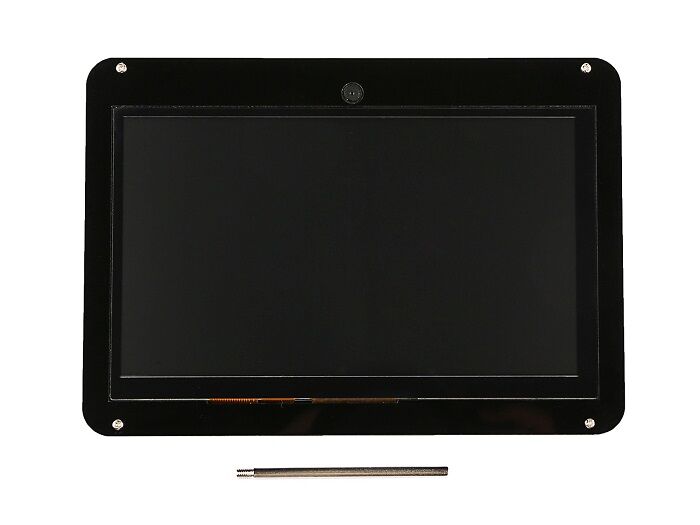
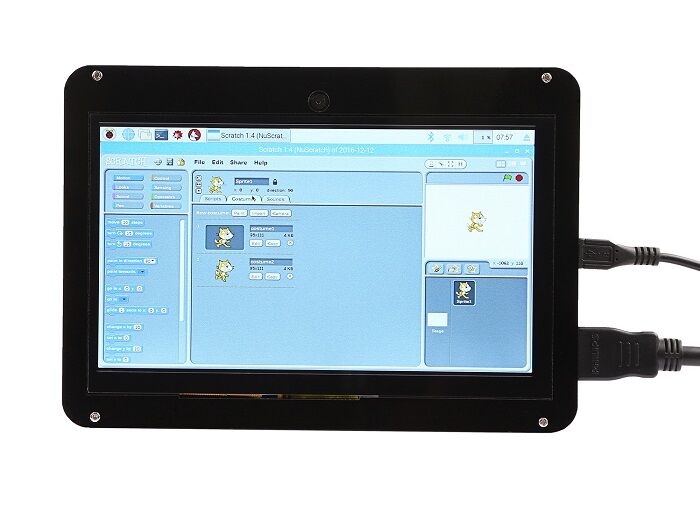
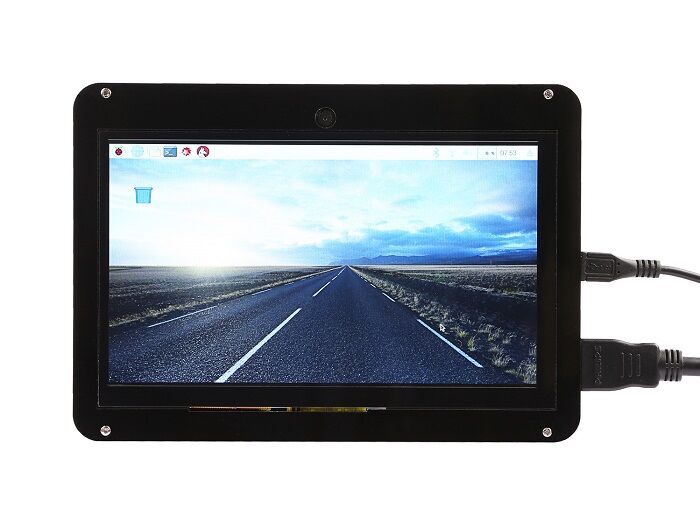
This is a fantastic 7 inch HDMI monitor with capacitive touch screen and 720P Camera module and it’s driver free. It’s been tested on Raspberry Pi, beagle bone black, windows 10 and Mac book pro. And it works well on those platform and it really plug and play, all you need to do is to adjust the resolution(on Raspberry Pi).
It supports 1024×600 resolution and you may find that the pictures are more bright when you are using this display. The capacitive touch function give the user full control over any device. It’s driver free for your device due to built-in EDID device information, it is very easy to let the equipment correctly identified the touch screen. And the Capacitive USB touch screen can support functions of the right mouse button and drag and drop, and also support multipoint touch, maximum 10 points.(only test in windows 10)
For use with a Raspberry Pi we suggest editing config.txt to set the HDMI to the native 1024×600 in case it doesn’t detect the resolution properly. The easiest way to edit the config.txt is to put the Pi TF card into an every day computer and edit config.txt with any text editor and save.
And most valuable things is it has been extended with two USB HOST ports .So that you can hookup more USB devices to your screen, for example, the USB dongle or the USB mouse or keyboard.
There is 720P Camera module onboard, You can use this camera to take photos, even live.It is very high clarity, but low power consumption and compatible with UVC standard, and Plug-and-play features.
This Kit contains acrylic case and steel stander with it, can be a monitor in your project, Acrylic shell is exquisite and easy to install.
Features:
-
Resolution up to 1024 x 600
-
USB Capacitive touch control
-
Free-driver, Plug and Play
-
Supports Raspbian, Ubuntu Mate, NOOBS with Raspberry Pi
-
Supports Debian, Angstrom with BeagleBone
-
Supports Windows / Ubuntu / Mac with PC
-
Supports Intel-Processor Base Mini PC
-
ULP (Ultra Low Power) consumption backlight
-
Extend Two USB HOST Ports
-
Compatible with UVC standard Camera
-
Plug and Play (Driver Free)
Raspberry Pi Configure
How to setup resolution for the screen:
-
You can modify /boot/config.txt file with vim.tiny or nano editor, and change the parameters as following chart:
| Resolution | config file |
| 1024×600 |
hdmi_group=2 hdmi_mode=87 |
Note:Please reboot Raspberry Pi after modifying the /boot/config.txt
How to setup Resolution Automatically
There is a easy way to setup resolution of your screen by a shell script.
You can download the scripts by git tool and use it to change resolution for your screens as following steps:
Note: Please login with your “pi” user and just typing those command absolutely according to this wiki.
git clone https://github.com/yoyojacky/52Pi.git
 cd ~/52Pi
 chmod +x restool.sh
 ./restool.sh
and then follow the step to chose the screen type that you have, and it will automatically setup the resolution for you.
If you are willing to know more information about Raspberry Pi display, please view the table as follow.
| Product name | Resolution | Power supply | Display interface | For use with | Dimension(mm) | Touch panel type | Display tec. |
|---|---|---|---|---|---|---|---|
| 5 inch 720×1280 HDMI IPS LCD Display | 720×1280 | 5V | HDMI2.0 | Raspberry Pi3, Windows, etc. | 134×84 | None | IPS |
| 5 inch 800×480 Capacitive TouchScreen | 800×480 | 5V | HDMI & USB 2.0 | Raspberry Pi3, Windows, etc. | 184x106x45 | Capacitive | TFT |
| 5 Inch HDMI Display with USB TouchScreen | 800×480 | 5V | HDMI & USB 2.0 | Raspberry Pi3, Pi4, Windows, etc. | 170x90x40 | Resistive | TFT |
| 5 inch Capacitive touch screen & Acrylic Case Kit | 800×480 | 5V | HDMI & USB 2.0 | Raspberry Pi3, Windows, etc. | 210x150x50 | Capacitive | TFT |
| 7 inch 720×1280 HDMI IPS LCD Display | 720×1280 | 5V | HDMI2.0 | Raspberry Pi3, Pi4, Windows, etc. | 192×118 | None | IPS |
| Raspberry Pi 7 inch Touchscreen Display | 800×480 | 5V | Display ribbon cable | Raspberry Pi3, Pi2, Pi | 194x110x20 | Capacitive | TFT |
| 7 Inch 1024×600 Capacitive Touch Screen With Camera Kit | 1024×600 | 5V | HDMI & USB 2.0 | Raspberry Pi3, Windows, etc. | 177x113x15 | Capacitive | TFT |
| 10.1 inch 1200×1920 HDMI IPS LCD Display | 1200×1920 | 5V | HDMI2.0 | Raspberry Pi3, Pi4,Windows,etc. | 255×165 | None | IPS |
| 15.6 Inch 1920*1080 Full HD IPS Touch Screen Portable Monitor | 1920×1080 | 5V | Mini DP/ Mini HDMI / Type C | Raspberry Pi3,Pi4,Windows,etc. | 375x230x12 | Capacitive | IPS |
| 7 Inch HDMI 1280×800 IPS Display | 1280×800 | 7.5V~12V | AV + VGA + HDMI (HDMI 1.2) | Raspberry Pi3, Windows, etc. | 162x106x5 | None | IPS |
| 7 Inch 1024×600 Capacitive Touch Screen DIY Kit | 1024×600 | 5V | AV + VGA + HDMI (HDMI 1.2) | Raspberry Pi3, Windows, etc. | 265x165x50 | Capacitive | TFT |
| 10.1 Inch LCD Display – 1366×768 HDMI&VGA&NTSC&PAL | 1366×768 | 5V~24V | AV + VGA + HDMI (HDMI 1.2) | Raspberry Pi3,Pi4,Windows,etc. | 230x150x5 | None | TFT |
| Raspberry Pi HDMI LCD (10.1 inch) | 1280×800 | 5V | HDMI & USB 2.0 | Raspberry Pi3,Pi4,Windows,etc. | 290x200x35 | Capacitive | IPS |
// e;++e)t(n[e],e)}function e(n){return n.split(“”).reverse().join(“”)}function a(n){var e=n[0];return t(n,function(n){for(;!n.startsWith(e);)e=e.substring(0,r(e)-1)}),r(e)}function o(n,r){return-1!=n.map(r).indexOf(!0)}function u(n,r){return function(t){var e=””;return t.replace(n,function(n,t,a){return e=t.replace(r,””)+”.”+(a||””).substring(1)}),l(e)}}function i(n){var t=l(n);return!isNaN(t)&&r(“”+t)+1>=r(n)?t:NaN}function s(n){var e=[];return t([i,m,g],function(t){var a;r(e)||o(a=n.map(t),isNaN)||(e=a)}),e}function c(n){var t=s(n);if(!r(t)){var o=a(n),u=a(n.map(e)),i=n.map(function(n){return n.substring(o,r(n)-u)});t=s(i)}return t}function f(n){var r=n.map(Date.parse);return o(r,isNaN)?[]:r}function v(n,r){r(n),t(n.childNodes,function(n){v(n,r)})}function d(n){var r,t=[],e=[];return v(n,function(n){var a=n.nodeName;”TR”==a?(r=[],t.push(r),e.push(n)):(“TD”==a||”TH”==a)&&r.push(n)}),[t,e]}function p(n){if(“TABLE”==n.nodeName){for(var e=d(n),a=e[0],o=e[1],u=r(a),i=u>1&&r(a[0])h;++h){for(var N=0;p>N;++N){r(m)
n;++n){var r=v[n].classList;r.remove(L),r.remove(E),l[n]=0}};t(v,function(n,t){l[t]=0;var e=n.classList;e.add(“tg-sort-header”),n.addEventListener(“click”,function(){function n(n,r){var t=d[n],e=d[r];return t>e?a:e>t?-a:a*(n-r)}var a=l[t];b(),a=1==a?-1:+!a,a&&e.add(a>0?L:E),l[t]=a;var i=m[t],v=function(n,r){return a*i[n].localeCompare(i[r])||a*(n-r)},d=c(i);(r(d)||r(d=f(i)))&&(v=n);var p=g.slice();p.sort(v);for(var h=null,N=s;u>N;++N)h=o[N].parentNode,h.removeChild(o[N]);for(var N=s;u>N;++N)h.appendChild(o[s+p[N-s]])})})}}var l=parseFloat,m=u(/^(?:s*)([+-]?(?:d+)(?:,d{3})*)(.d*)?$/g,/,/g),g=u(/^(?:s*)([+-]?(?:d+)(?:.d{3})*)(,d*)?$/g,/./g);n.addEventListener(“DOMContentLoaded”,function(){for(var t=n.getElementsByClassName(“tg”),e=0;e
Reviews
There are no reviews yet.